You don’t need a monster PC to run Highguard plus a GTX 1060 gets you in the door. But you absolutely need Secure Boot and TPM 2.0 enabled in your BIOS or the game won’t even launch.
Wildlight Entertainment finally showed us what we need for Highguard.
I’ve been tracking this one since the Game Awards reveal. It’s coming from veterans who worked on Apex Legends and Titanfall, so you know the movement will be fast. But fast movement requires a stable frame rate. If your PC stutters when you’re trying to outrun a rival Warden crew, you’re already dead.
The official specs just dropped on Steam. They are surprisingly light for a 2026 shooter, yet there’s a massive security hurdle that might catch some of you off guard.
Let’s look at the hardware first.
Highguard Minimum PC System Requirements
You can probably run this game.
Wildlight clearly wants a huge player base on day one. That means supporting hardware from five or six years ago. If you’re still rocking a 10-series NVIDIA card, you aren’t left behind.
Here is the absolute floor for running Highguard:
- OS: Windows 10 (64-bit)
- Processor: Intel Core i5-6600K / AMD Ryzen 5 1600
- Memory: 8 GB RAM
- Graphics: NVIDIA GeForce GTX 1060 (6GB) / AMD Radeon RX 580 (8GB)
- DirectX: Version 12
- Storage: 25 GB (SSD Required)
Breaking down the minimums
The CPU is ancient. An i5-6600K is a quad-core chip from 2015. Most modern i3 or Ryzen 3 chips will beat this easily.
Video RAM matters. Notice the GTX 1060 6GB requirement. If you have the old 3GB model, you might see textures popping in late besides experiencing some heavy stuttering in the larger raid bases.
8GB RAM is the bare minimum. Windows 10 uses about 3GB just to exist. Chrome uses another 2GB. Close your tabs before you launch this game.
Highguard Recommended PC System Requirements
This is the sweet spot for 1080p gaming at 60 FPS.
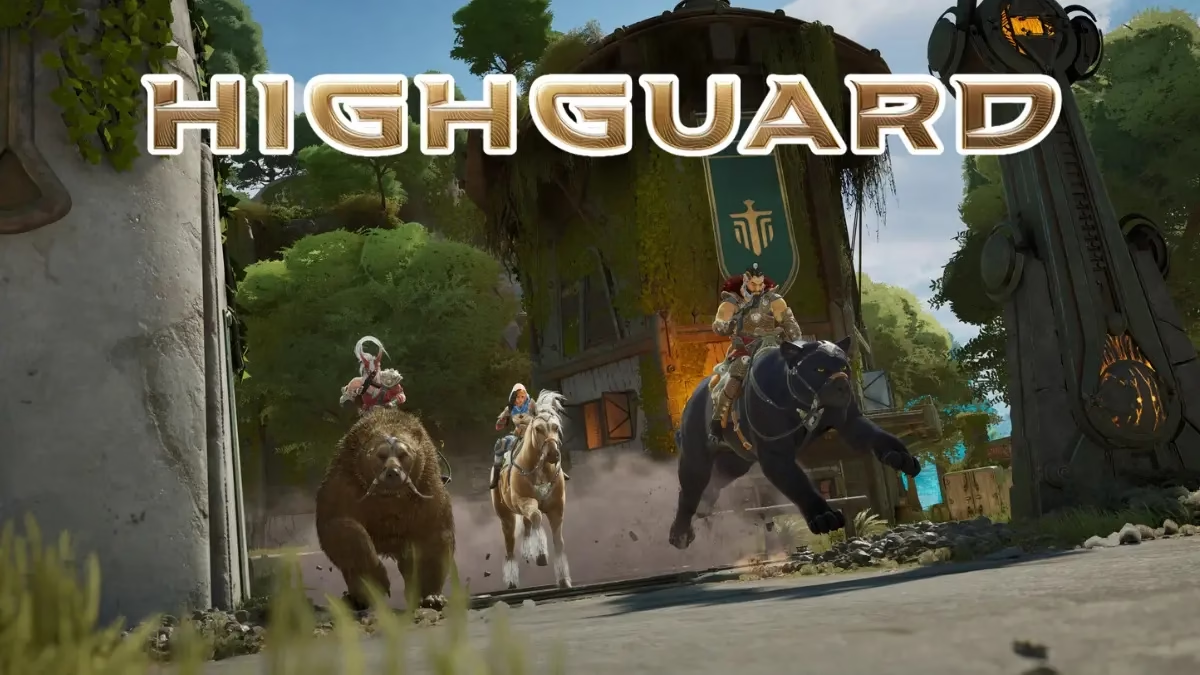
Highguard is a “raid shooter.” You’re going to be riding mounts, casting arcane spells, plus blowing up enemy bases. When the Shieldbreaker starts doing its thing, there will be a lot of particle effects on screen. You want the extra headroom.
Target these specs for a smooth experience:
- OS: Windows 11
- Processor: Intel Core i5-9600K / AMD Ryzen 5 3600
- Memory: 12 GB RAM
- Graphics: NVIDIA GeForce RTX 2080 (8GB) / AMD Radeon RX 6650 XT (8GB)
- DirectX: Version 12
- Storage: 25 GB (NVMe SSD Recommended)
Why 12GB of RAM?
It’s a weird number. Most people have 8GB or 16GB. If you have 16GB, you are perfectly fine. If you only have 8GB, you should probably upgrade. RAM is the cheapest way to make your computer feel faster.
The GPU jump is big. Moving from a 1060 to a 2080 is a massive increase in power. Highguard likely uses some modern lighting techniques that love those extra cores.
The Mandatory Security Requirements
This is the part that will stop people from playing.
Highguard uses Easy Anti-Cheat along with some deep security checks. You cannot ignore this. Even if you have an RTX 4090, the game will give you an error message if your BIOS isn’t set up correctly.
Secure Boot → A security standard that makes sure your computer only boots using software that is trusted by the manufacturer. Example: Highguard checks this during startup to ensure no “rootkit” cheats are running before the game opens.
TPM 2.0 → A chip (or firmware) on your motherboard that handles encryption plus hardware-level security. Example: This helps the developers ban a specific PC from the game rather than just a Steam account, making life hard for repeat cheaters.
If you are on Windows 11, you probably already have these on. Windows 11 requires them. But if you’re on Windows 10, you might need to go into your BIOS settings and flip some switches.
Linux and Steam Deck users? It’s not looking good. These requirements usually block Linux gamers. We’ll have to see if the devs provide a workaround after launch.
How Much Space Do You Need to Install Highguard?
Good news here. The game is tiny.
You only need 25 GB of available space.
In a world where Call of Duty takes up 200GB, this is a breath of fresh air. You can download it in minutes on a decent connection.
But you must use an SSD.
The Steam page specifically lists SSD under the minimums. Do not install this on an old spinning hard drive. You will load into the match five minutes after everyone else. You’ll be a sitting duck.
Practical Tips for Better Performance
If your PC is right on the edge of the minimum specs, try these:
- Lower Shadow Resolution. Shadows are usually the biggest performance killer in hero shooters.
- Disable V-Sync. Highguard is fast. V-Sync adds input lag that makes your mouse feel heavy.
- Update Drivers. NVIDIA and AMD usually release “Game Ready” drivers for big releases. Get them.
- Use an NVMe SSD. If you have the slot, a faster SSD helps with texture streaming while you’re riding your mount across the map.
Highguard is about precision. Every frame counts when you’re defending your base.
Frequently Asked Questions
Can I run Highguard on 8GB of RAM?
Yes, but you’ll want to close all background apps. 12GB is the recommended amount to ensure Windows doesn’t start swapping data to your drive, which causes lag.
Does Highguard support ultrawide monitors?
Yes. Wildlight has confirmed support for 21:9 and 32:9 aspect ratios.
What happens if I don’t have TPM 2.0?
The game will not launch. Most CPUs from the last 7 years have it built-in (Intel PTT or AMD fTPM), but you may need to enable it in your BIOS.
Is Highguard free to play?
Yes. It’s free. You can download it on Steam and see if your PC handles it without spending a dime.
Conclusion
Highguard is very accessible for most PC gamers. You only need a GTX 1060 and 25GB of space to start your life as a Warden. However, the requirement for Secure Boot and TPM 2.0 is non-negotiable. Check your BIOS settings today so you don’t spend launch day troubleshooting instead of raiding.
Check your BIOS. Clear 25GB on your SSD. Be ready.